Inmanta Service Orchestrator 9.4
Inmanta Service Orchestrator 9.4 lets operators deploy exactly the resources they are looking at, lets model authors present lifecycles in the operator's language, and cuts compile time by up to 30%. Upgrading from 9.3 needs no model changes.
Target deploy and repair
In 9.4, deploy and repair let you choose the scope: the resources matching your filter, a single service instance or resource, or the whole environment.
- One Deploy split button on the Resources page. Deploy runs an incremental deploy. Repair, in the button's menu, runs a full deploy that re-checks every matched resource.

- Scoped to the active filter. A dialog asks whether to act on the filtered resources or on all resources in the environment, and shows how many resources each choice covers.
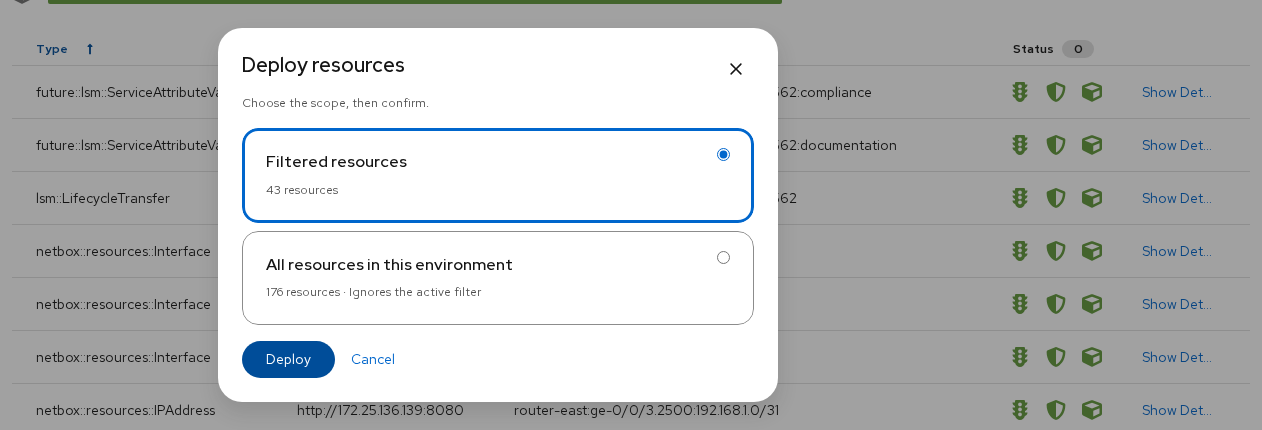
- Per service instance and per resource. The service instance page has the same Deploy button next to Actions. When the service owns other services, the dialog can include them. The Resource Details page deploys or repairs a single resource.
- New Service filter tab. Narrow the Resources page to a service entity and an instance. The Include owned services switch also matches the resources of the services that instance owns.
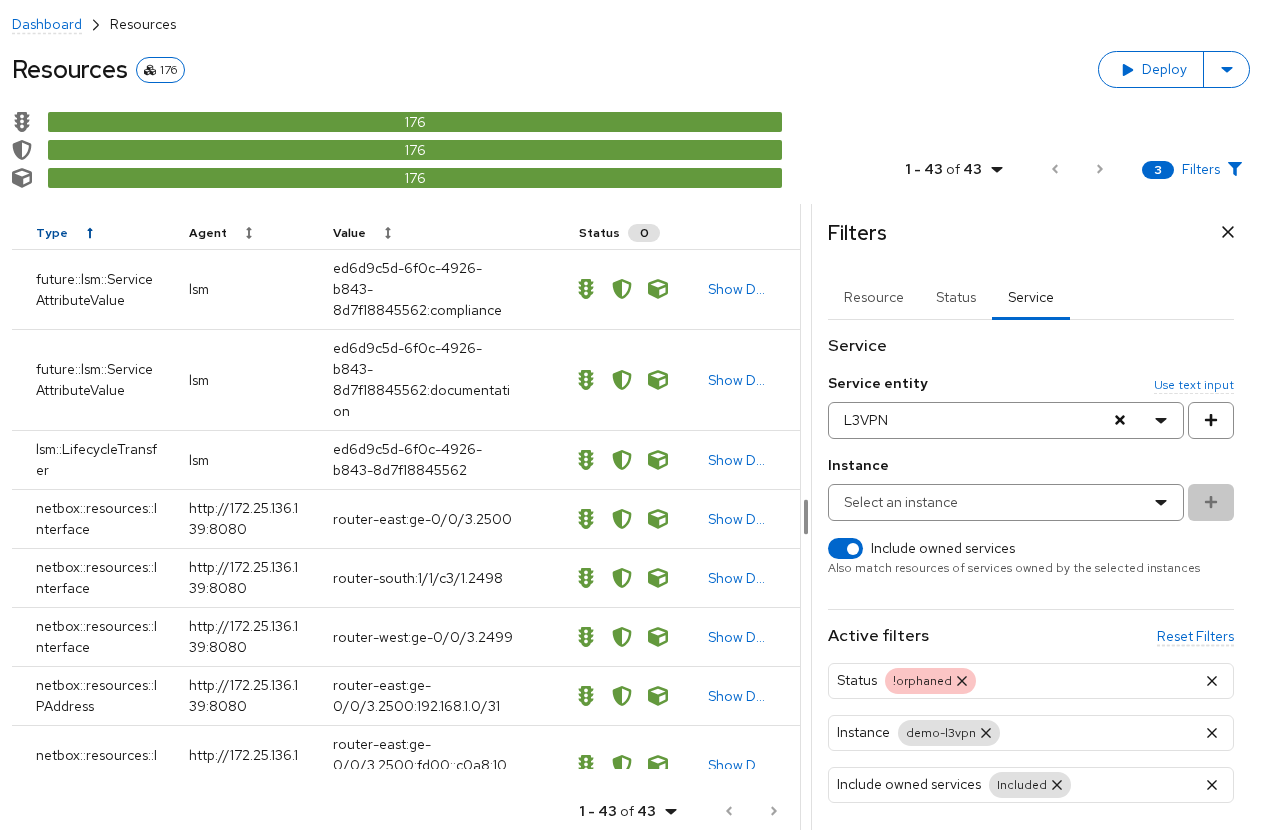
Demo: filter on a service instance, then deploy only its resources.
Lifecycles in the operator's language
Model authors can now annotate lifecycle states and transfers, so the console shows labels, icons and prompts instead of raw state names such as creating_inprogress.
|
Annotation |
On |
Effect in the console |
|
web_label, web_icon, web_description |
state |
Badge with label and icon in the instance list, history and catalog |
|
web_button_label, web_icon |
transfer |
Set-state action shown as a labelled menu item with an icon |
|
web_button_type, web_button_variant |
transfer |
Styles the action, e.g. danger for destructive transfers |
|
web_confirm |
transfer |
Custom confirmation text for set-state and delete |
|
web_advanced_state |
transfer |
Moves rarely used or risky transfers into an Advanced section |
The same annotations drive setState buttons in documentation-tab markdown.
For example, an instance's history shows Deploying, Deployed, Activating and Up with icons, and the Actions menu lists Enter maintenance and Repair instead of maintenance and repairing_inprogress.
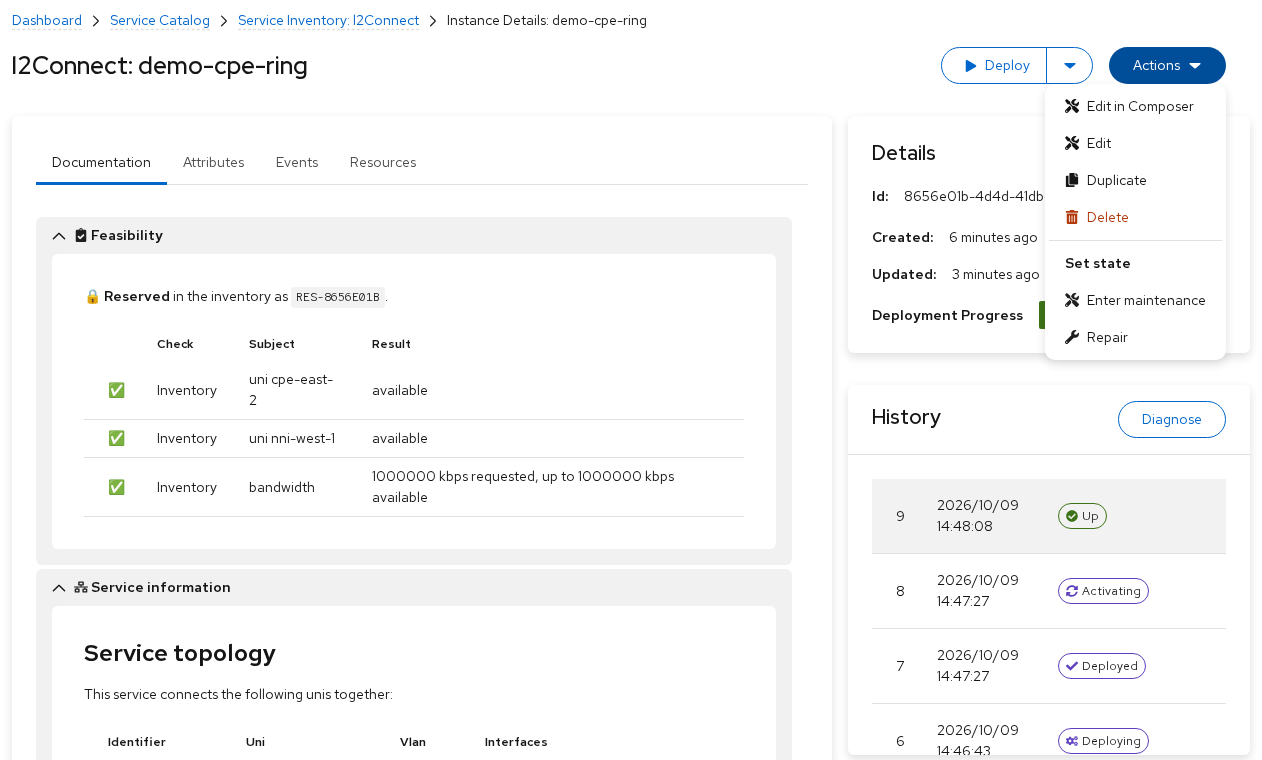
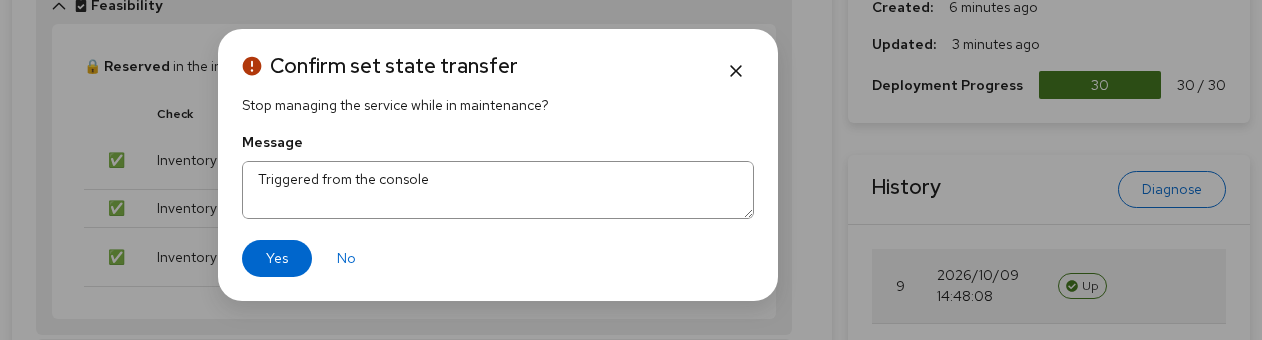
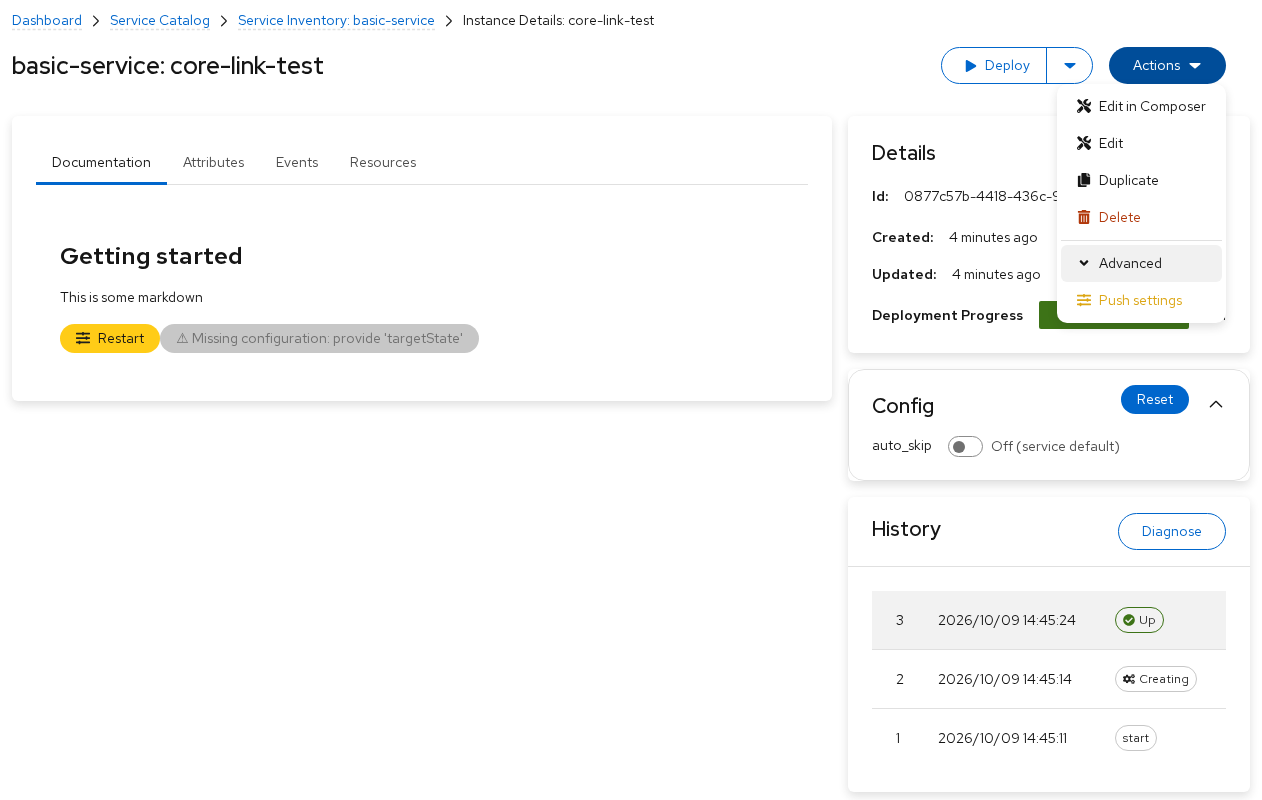
Demo: lifecycle labels, labelled actions and a custom confirmation prompt.
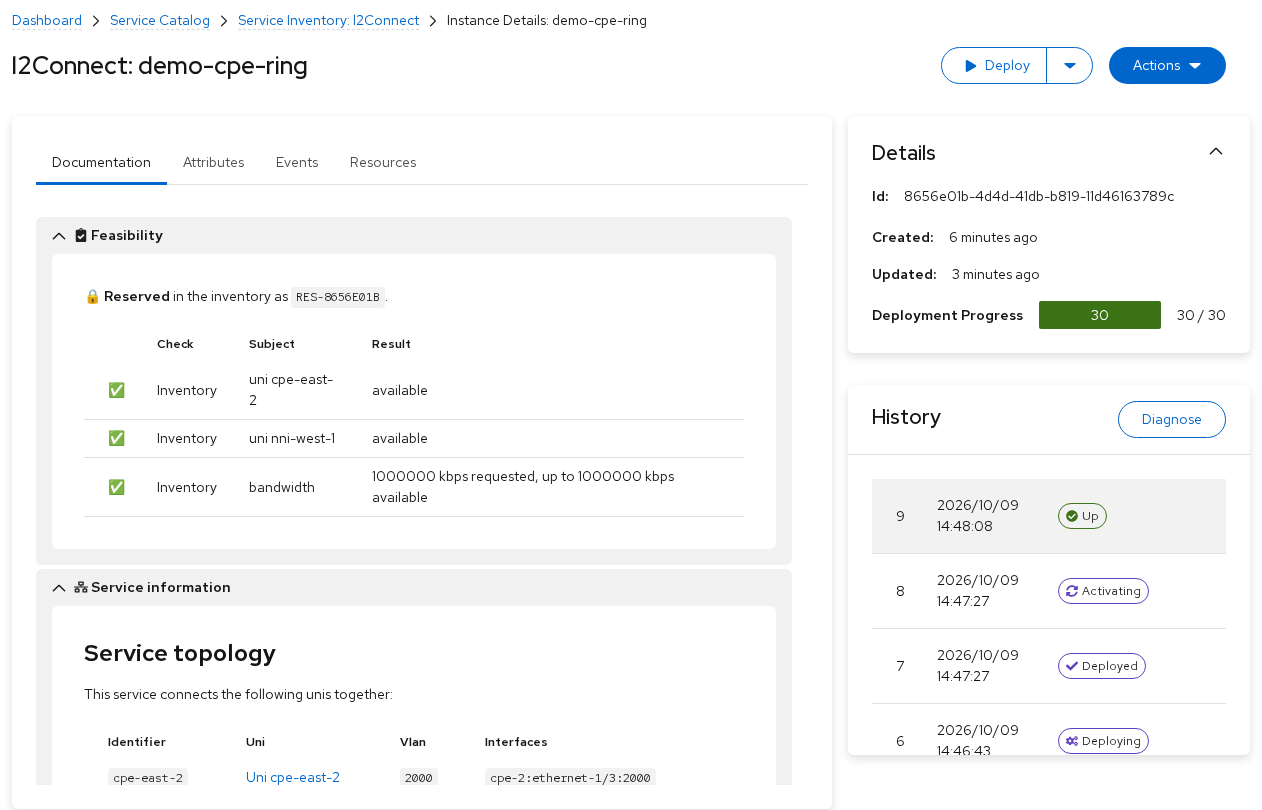
The documentation tab is restyled with PatternFly, including Mermaid diagrams, in light and dark theme.
Smarter service forms
Service forms now handle units, and their suggestions can depend on other fields or come from a live GraphQL query.
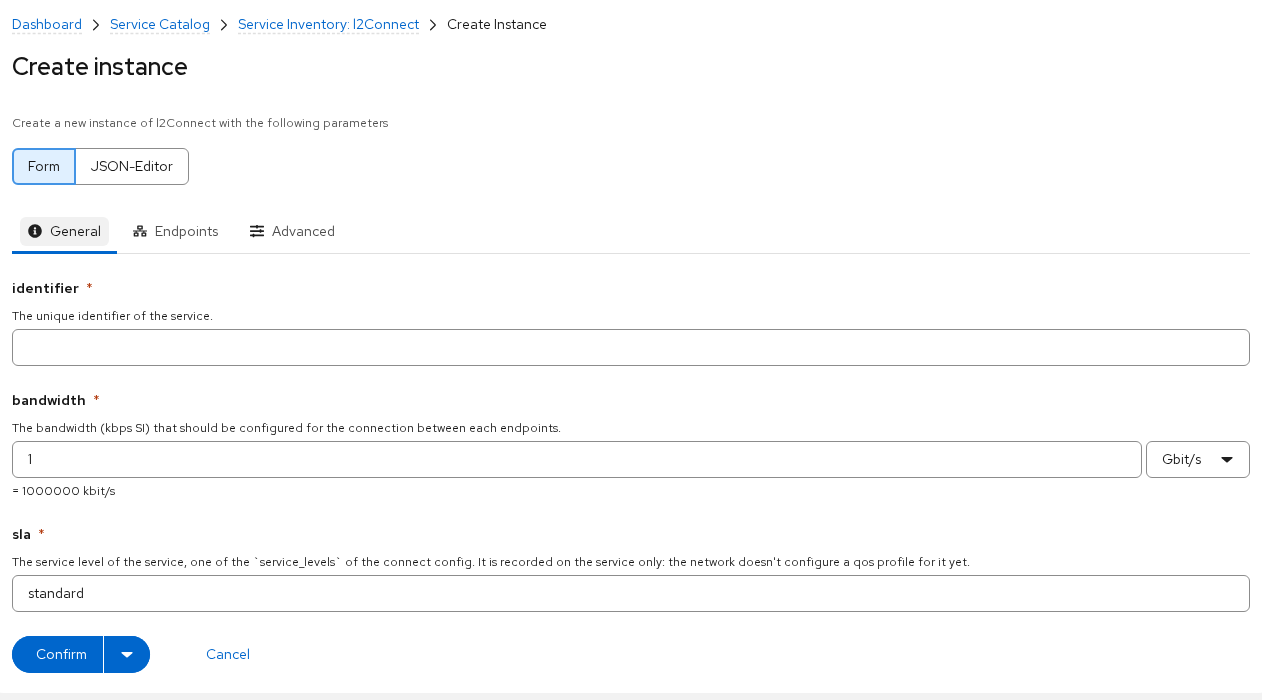
- Values with units. Attributes annotated with web_presentation: "unit" get a quantity-plus-unit input in create, edit and duplicate forms and in the Composer. The attribute stays a plain int or float in its web_unit. The Attributes table shows a readable unit, with the raw value in a tooltip
- Suggestions that depend on other fields. A suggestion source can reference another field with ${form.<path>} or ${self.<path>}. The dependent field queries again when the source changes, stays editable while it waits, and explains why there are no suggestions yet. Cycles and missing references are reported as model errors.
- Suggestions from GraphQL. The new graphql flavor of web_suggested_values fills the dropdown from a live GraphQL query, mapping each result to a label and value with JSONPath. In the example below, uplink queries resources whose ID contains ${form.site}.
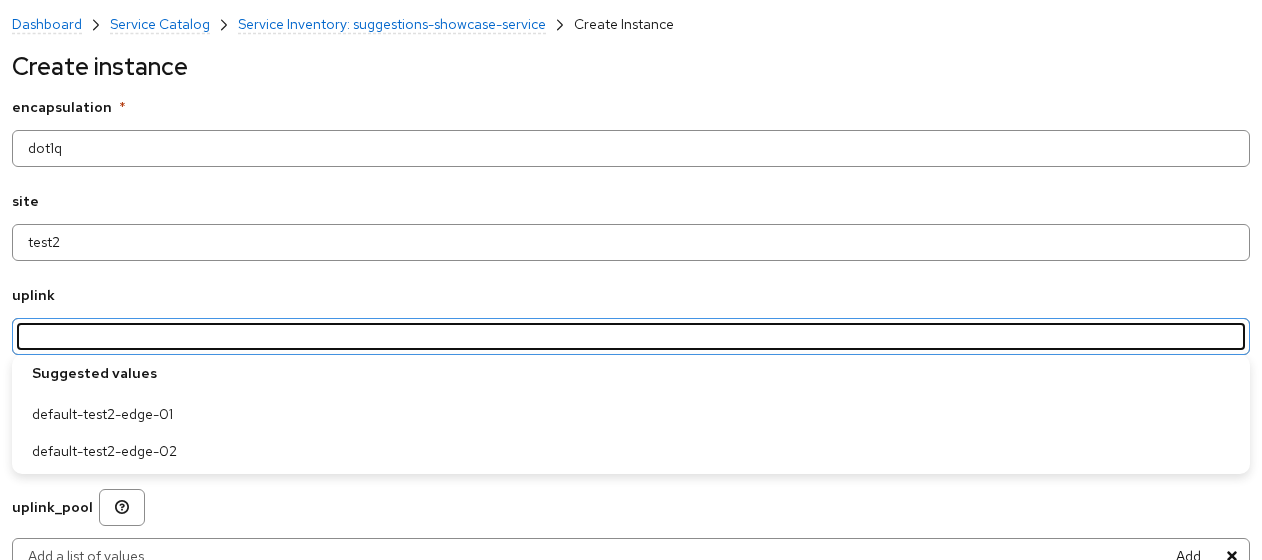
Demo: uplink waits for a site, then its suggestions follow every change of the site.
Usability fixes:
List items are titled by their key attributes.
List-field text becomes a chip on blur or Tab.
Dict JSON editors can be resized.
The mouse wheel no longer changes number fields.
A tab holding a single embedded relation shows its items directly.
Reworked Desired State tab
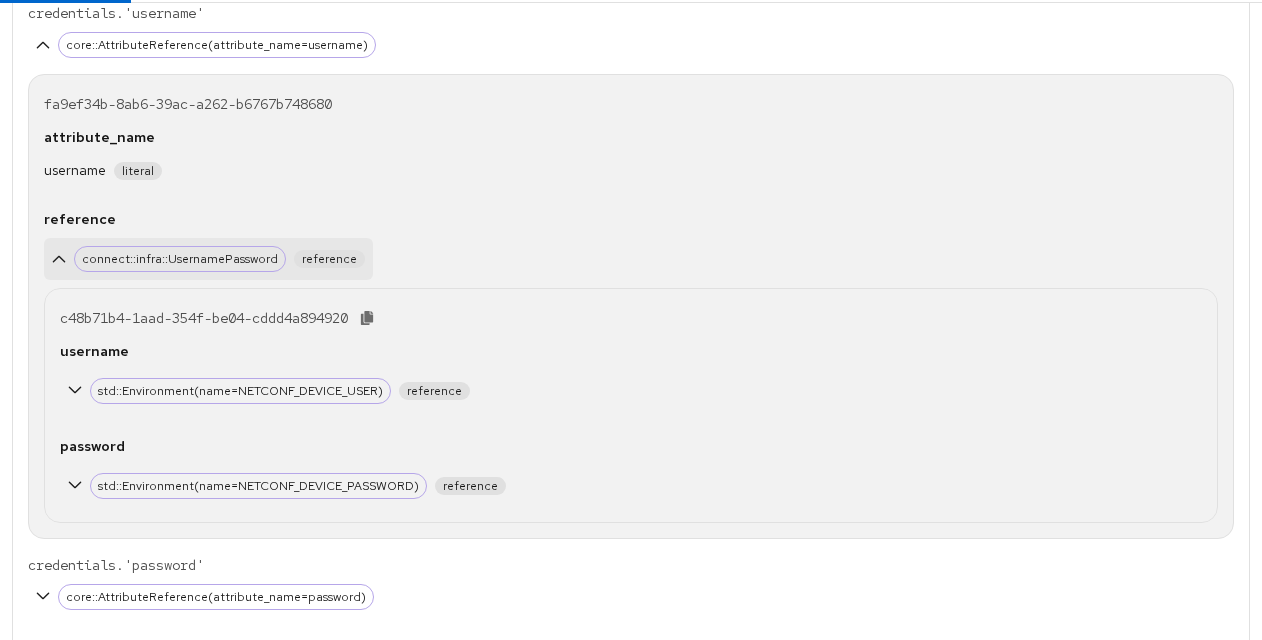
The Desired State tab of a resource is rebuilt. Attributes are laid out in a clearer structure, and a Structured / JSON toggle switches to the raw payload. Values that come from references show where they come from, down the whole chain, with each argument labelled as a literal or a reference. A fact reference links to the Facts tab of the resource it reads from. The versioned resource page and the resource history tab use the same view.
New environment dashboard
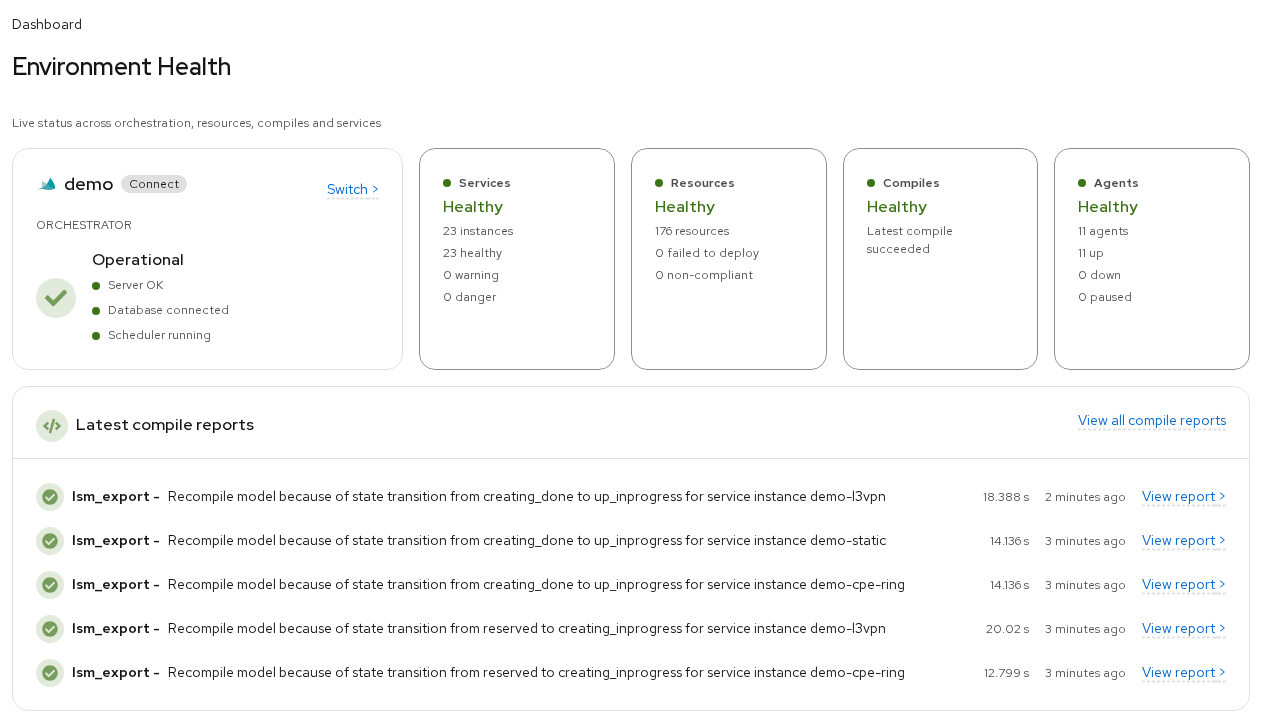
The environment dashboard is replaced by a
live health summary: orchestrator status (server, database, scheduler) and
Services, Resources, Compiles and Agents tiles with healthy, warning and
failure counts, followed by the latest compile reports. The header status icon
polls /api/v2/health and turns red when the server reports itself unhealthy.
Faster compiles
Compiles take up to 30% less time, depending on the model, on top of the compiler work shipped earlier in ISO 9.
- GC tuned for compiles. The compiler relaxes Python's cyclic GC thresholds while it runs. The youngest-generation threshold defaults to 1,000,000 and is tunable with compiler.gc_gen0_threshold, which also bounds the extra memory held.
- About a fifth less garbage per compile. Rescheduled UnsetExceptions no longer keep their traceback.
- Faster parser cache. Cache writes are about twice as fast, and reads up to 60% faster on large module sets.
Consistent filtering and agent management
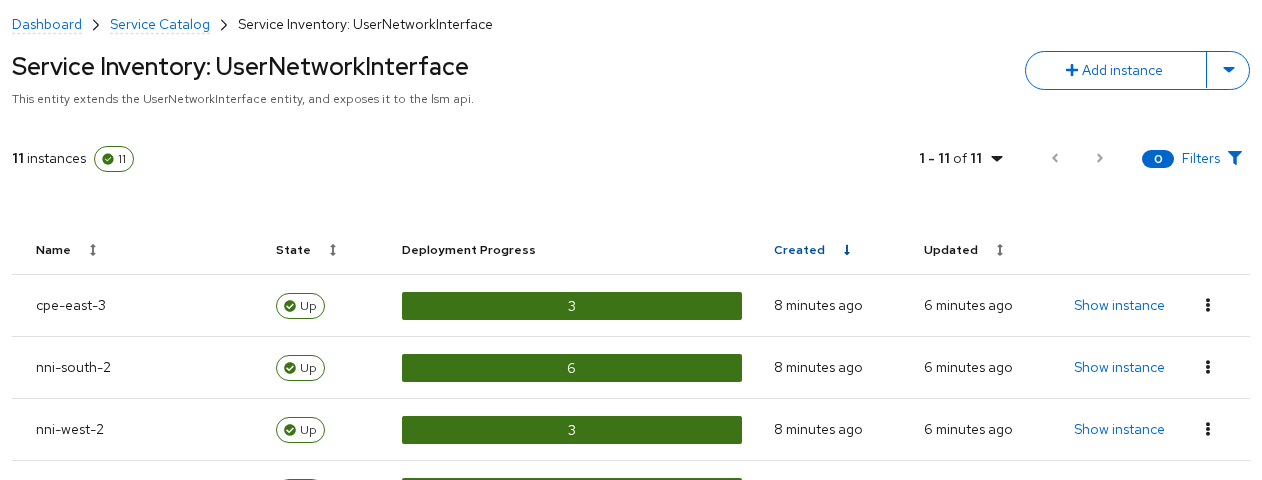
Every list page now uses the side-panel filter drawer of the Resources page: Service Inventory, Compile Reports, Facts and the resource log tab. A toolbar button shows the active filter count, and the filters stay visible while the table scrolls. The Service Inventory header shows the service description and clickable instance counts instead of a donut chart.
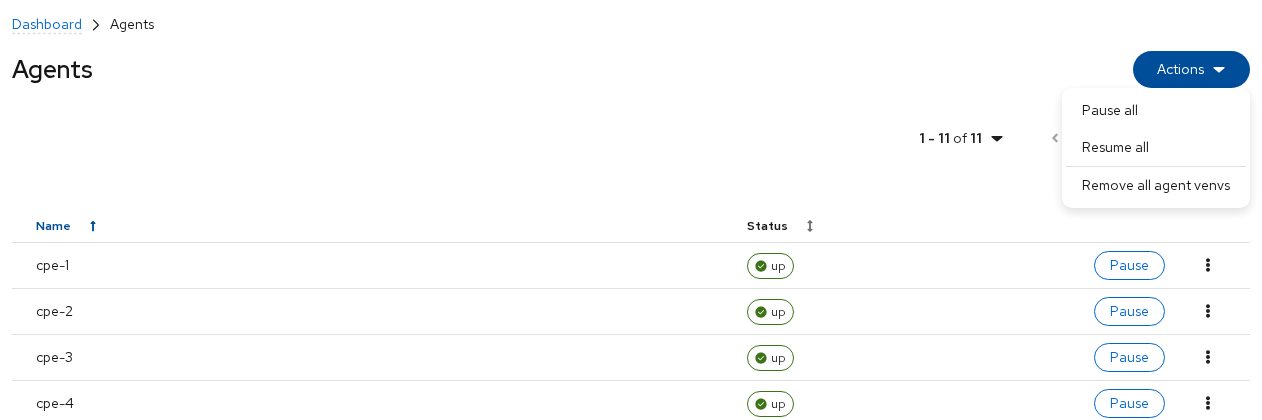
The Agents page has an Actions menu to
pause or resume all agents, to set the on-resume behavior while the environment
is halted, and to remove all agent virtual environments.
Web Console: other improvements
- Service Inventory shows the service description and clickable instance counts instead of a donut chart.
- Navigation: breadcrumbs and page title stay in view while scrolling, paginated tables keep their page on back navigation, and dry-run and compare entries link to the resource.
- Diagnose page shows the compile errors of a rejected validation directly.
- Smaller changes: copy buttons appear on row hover, Deploy and Repair tooltips match their page, environment settings follow the create-form order, the browser title shows the product name, sorting orders no longer reloads the page, and service pages offer Retry when loading fails.
Upgrade notes
- Follow the documented upgrade procedure and back up the database first. Behavior that changes:
- Default access policy: downloading a support archive requires the global admin role (only with the policy-engine authorization provider).
- Open Policy Agent is upgraded to v1.21.1.
- Exit code 5: the server exits with code 5, not 0, when it loses the database singleton lock, so supervisors restart it.
- HTTP status codes: deploy, dry-run and scheduler-status endpoints return 409 (halted) or 503 (scheduler unreachable) instead of 404.
- No reload banner: the console no longer asks to hard-reload, and the /console/version.json route is removed.